- Enjoy Series
- Honor Series
- Honor X9C Smart 5G
- Huawe Honor 200 Smart
- Huawe Magic 8 Lite
- Huawei Honor 10
- Huawei Honor 10 Lite
- Huawei Honor 20
- Huawei Honor 20 Lite
- Huawei Honor 20 Pro
- Huawei Honor 200
- Huawei Honor 200 LIte
- Huawei Honor 200 Pro
- Huawei Honor 30
- Huawei Honor 300
- Huawei Honor 300 Pro
- Huawei Honor 300 Ultra
- Huawei Honor 400
- Huawei Honor 400 Lite
- Huawei Honor 400 Pro
- Huawei Honor 400 Smart
- Huawei Honor 400 Smart 5G
- Huawei Honor 4C
- Huawei Honor 50
- Huawei Honor 50 Lite
- Huawei Honor 50SE
- Huawei Honor 5C
- Huawei Honor 5X
- Huawei Honor 6C
- Huawei Honor 6X
- Huawei Honor 7
- Huawei Honor 70
- Huawei Honor 70 lite
- Huawei Honor 7A
- Huawei Honor 7S
- Huawei Honor 7X
- Huawei Honor 8
- Huawei Honor 8 Lite
- Huawei Honor 8A
- Huawei Honor 8X
- Huawei Honor 9
- Huawei Honor 9 Lite
- Huawei Honor 90
- Huawei Honor 90 lite
- Huawei Honor 90 Smart
- Huawei Honor 9A
- Huawei Honor 9X
- Huawei Honor Magic 4 Lite
- Huawei Honor Magic 4 pro
- Huawei Honor Magic 5 Lite
- Huawei Honor Magic 5 pro
- Huawei Honor Magic 6 Lite
- Huawei Honor Magic 6 pro
- Huawei Honor Magic 7
- Huawei Honor Magic 7 Lite
- Huawei Honor Play
- Huawei Honor V30
- Huawei Honor View 10
- Huawei Honor View 10 Lite
- Huawei Honor View 20
- Huawei Honor X5 4G
- HUAWEI HONOR X5B
- Huawei Honor X5C
- Huawei Honor X6
- Huawei Honor X6A
- Huawei Honor X6B
- Huawei Honor X6C
- Huawei Honor X7
- Huawei Honor X7A
- Huawei Honor X7B
- Huawei Honor X7C
- Huawei Honor X7D
- Huawei Honor X8
- Huawei Honor X8A
- Huawei Honor X8B
- Huawei Honor X8C
- Huawei Honor X9
- Huawei Honor X9A
- Huawei Honor X9B
- Huawei Honor X9C
- Huawei Nova 10 SE
- magic 7 pro
- Huawei Tablets
- Huawei MatePad Pro 12.2 2025
- Honor Pad X8A
- Huawe Honor Pad V9
- Huawei Honor Magic Pad 2
- Huawei Honor Pad 10
- Huawei Honor Pad 8
- Huawei Honor Pad 9
- Huawei Honor Pad X8
- Huawei Honor Pad X9 2025
- Huawei Honor Pad X9A
- Huawei MatePad 10.4
- Huawei MatePad 10.4 SE
- Huawei MatePad 11
- Huawei MatePad 11.5
- Huawei MatePad 11.5S
- Huawei MatePad 12X
- Huawei Mediapad M3 Lite
- Huawei Mediapad M5 10.8
- Huawei MediaPad M5 8.4
- Huawei MediaPad M5 Lite
- Huawei MediaPad M6
- Huawei MediaPad T1
- Huawei MediaPad T10
- Huawei MediaPad T10S
- Huawei MediaPad T3
- Huawei MediaPad T5
- Mate Series
- Others Series HW
- P Series
- Huawei P8 Lite 2018
- Huawei P9
- Huawei P9 Lite
- Huawei P10
- Huawei P10 Lite
- Huawei P10 Plus
- Huawei P20
- Huawei P20 Lite
- Huawei P20 Lite 2019
- Huawei P20 Pro
- Huawei P30
- Huawei P30 Lite
- Huawei P30 Pro
- Huawei P40
- Huawei P40 Lite
- Huawei P40 Lite 5G
- Huawei P40 Lite E
- Huawei P40 Pro
- Huawei P40 Pro Plus
- Huawei P7
- Huawei P8
- Huawei P8 Lite
- Huawei P8 Lite 2017
- Huawei P8 Lite Smart
- Huawei P9 Plus
- Huawei Psmart
- Huawei Psmart 2019
- Huawei Psmart 2020
- Huawei Psmart 2021
- Huawei Psmart Plus
- Huawei Psmart Plus 2019
- Huawei Psmart S
- Huawei Psmart Z
- P Smart Pro 2019
- Y Series
- Huawei Y7 2017
- Huawei Y5 2017
- Huawei Y5 2018
- Huawei Y5 2019
- Huawei Y5 II
- Huawei Y5 P
- Huawei Y6
- Huawei Y6 2017
- Huawei Y6 2018
- Huawei Y6 2019
- Huawei Y6 II
- Huawei Y6 Pro
- Huawei Y6 Pro 2017
- Huawei Y7 2018
- Huawei Y7 2019
- Huawei Y7 Prime 2018
- Huawei Y7 Prime 2019
- Huawei Y7 Pro 2019
- Huawei Y8S
- Huawei Y9 2018
- Huawei Y9 2019
- Y6 P


Touch Screen Not Working? Here’s What You Should Do
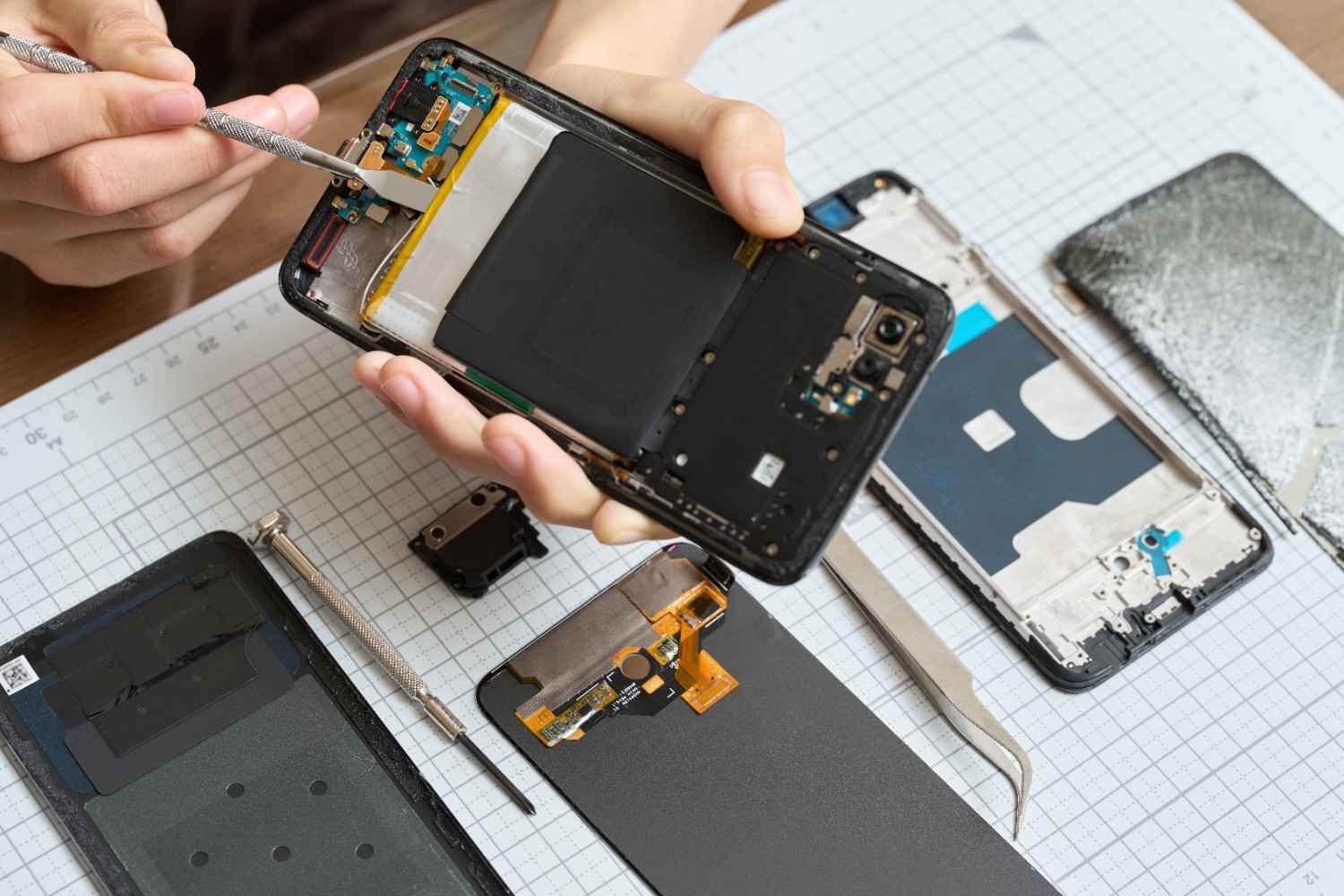
Touch Screen Not Working? Here’s What You Should Do
We have all been there. You are in the middle of an important call or trying to send an urgent text, and suddenly, your phone stops responding. The frustration is real your entire digital life feels locked away behind a piece of glass that just won’t cooperate.
Before you assume your phone is “dead” or rush into an expensive replacement, take a deep breath. While a non-responsive screen is serious, there are a few things you can try right now.
Try These Quick Fixes First
Before visiting a technician, rule out these common software and external issues:
- Force Restart Your Phone: Often, a minor software crash freezes the touch interface.
- iPhone: Quickly press Volume Up, then Volume Down, then hold the Power button.
- Android: Hold the Power and Volume Down buttons simultaneously for 10 seconds.
- Remove the Screen Protector: A small crack or even a piece of dust trapped under your tempered glass can interfere with the touch sensors.
- Clean the Screen: Oil, moisture, or dirt on your hands or the display can block the electrical signals from your fingers. Use a dry microfiber cloth.
- Dry Any Moisture: If your phone was recently near water, moisture might be trapped in the charging port or around the edges, causing the digitizer to glitch.
If these steps don’t work, the issue is likely hardware-related, such as a faulty digitizer or internal connector.
Why Is Your Touch Screen Not Working?
Understanding the “why” helps you realize the urgency of the fix. Common causes include:
1. Physical Damage
Even if the glass isn’t cracked, a hard drop can loosen the internal digitizer cable (the part that translates touch into action).
2. Software Glitches
Corrupted apps or a failed system update can sometimes “paralyze” the touch firmware.
3. Faulty Digitizer
The digitizer is a thin layer integrated into the display. Over time, or due to heat, this layer can degrade, leading to “dead zones” where touch doesn’t work.
Signs Your Phone Needs Professional Repair
If you notice any of the following, your phone has moved beyond a “quick fix” and needs an expert:
- Ghost Touch: Your phone starts opening apps or typing on its own.
- Partial Response: Only the top or bottom half of the screen works.
- Lagging/Freezing: You touch an icon, and it responds 5 seconds later.
- Visible Lines: Vertical or horizontal lines appearing on the screen.
What Happens If You Ignore This Issue?
Ignoring a malfunctioning screen is a recipe for disaster.
- Damage Spread: A small internal connection issue can worsen, eventually causing the screen to go completely black.
- Data Lockout: If your screen dies completely, you won’t be able to enter your passcode to back up your data.
- Increased Costs: Waiting can lead to pressure damage on the motherboard, turning a simple screen swap into a much more expensive repair.
Can You Fix a Touch Screen Yourself?
While YouTube makes it look easy, modern smartphones are held together by microscopic screws and fragile ribbons. DIY screen repairs often lead to:
- Accidentally puncturing the battery.
- Static electricity damaging the motherboard.
- FaceID or Fingerprint sensors breaking permanently.
Professional repair is always the safer, faster, and more reliable option.
Why Choose FixMoviles for Touch Screen Repair
When your device is at risk, you need a name you can trust. FixMoviles specializes in high-precision screen restorations.
- Certified Technicians: We know the difference between an iPhone, Samsung, and Pixel internal layout.
- Premium Quality Parts: We use high-grade replacement screens that restore original touch sensitivity.
- Same-Day Repair: We don’t want you to be offline. Most screen repairs are done in under an hour.
- Warranty Included: We provide a solid warranty on every screen we install.
- Data Safety: Your privacy is our priority. Your data remains untouched during the repair.
Our Simple Repair Process
We make it stress-free to get back online:
- Contact Us: Call or visit for a quick chat.
- Free Diagnosis: We pinpoint exactly what’s wrong—no guesswork.
- Expert Repair: We fix it using professional-grade tools.
- Quick Return: You walk out with a phone that feels brand new.
Get Your Touch Screen Fixed Today
Don’t let a glitchy screen turn into a permanent paperweight. Every hour you wait increases the risk of further internal damage.
Restore your phone’s touch today with FixMoviles!
Frequently Asked Questions (FAQ)
How much does touch screen repair cost? Pricing depends on the model. We provide a transparent quote after a free diagnosis.
How long does it take? Most touch screen and display replacements at FixMoviles are completed in 30 to 60 minutes.
Is my data safe during the repair? Yes. Unlike factory resets, a hardware screen repair does not delete your photos, contacts, or apps.
Can a cracked screen be fixed without replacing the whole display? If the touch isn’t working, the digitizer is damaged, which usually requires a full display assembly replacement for long-term reliability.
Recent Blogs
Phone Overheating Issues: Causes, Fixes & Professional Repair Solutions
If your phone feels like a hot brick in your hand, you aren’t just dealing with an annoyance you are
Touch Screen Not Working? Here’s What You Should Do
We have all been there. You are in the middle of an important call or trying to send an urgent